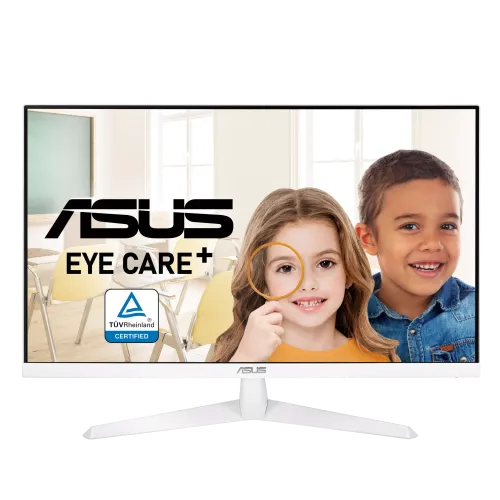
ASUS VY279HE-W 27-inch Full HD IPS Eye Care Monitor
The ASUS VY279HE-W is a 27-inch white-cased monitor with a Full HD 1920 × 1080 IPS panel, a 16:9 aspect ratio and refresh rates up to 75Hz. ASUS lists AMD FreeSync/Adaptive-Sync, one HDMI 1.4 input and one VGA input. Eye Care+ features include Low Blue Light, Flicker-Free, Color Augmentation and Rest Reminder functions. The monitor is designed for everyday computing, study, home-office work, video and casual gaming.
The W suffix identifies the white finish. Confirm the complete VY279HE-W model code on the carton and unit, because the black VY279HE is often listed separately. The two variants share the core family specifications but the exact color, regional bundle, serial warranty and product code can differ. ASUS’s official VY279HE-W specification page and VY279 series manual are the primary sources for technical information. Bangladesh price and stock notes below are third-party seller observations only.
27-inch Full HD IPS display
The screen measures 27 inches diagonally and displays 1920 × 1080 pixels in a 16:9 layout. Full HD is supported by a wide range of computers and media players. At 27 inches, text and interface elements appear larger than on a higher pixel-density QHD screen, which some users may find comfortable for ordinary viewing. Buyers who need finer text or more desktop workspace may prefer QHD resolution at this size.
ASUS lists an IPS panel with a 597.88 × 336.31mm viewing area, 178-degree horizontal and vertical viewing angles, 250 cd/m² typical brightness and a 1000:1 typical contrast ratio. IPS viewing angles can help keep the image usable when viewed from different seats. Brightness and contrast still depend on room lighting, the selected picture mode and individual panel variation. The anti-glare surface helps reduce reflections but does not eliminate glare from a bright window.
75Hz refresh and AMD FreeSync
The maximum refresh rate is 75Hz. ASUS lists AMD FreeSync and Adaptive-Sync to coordinate compatible graphics output with the display and help reduce tearing or uneven frame delivery within the supported range. Digital signal frequency is listed up to 75Hz vertically; analog VGA is listed at 48–60Hz. Actual options depend on the graphics card, driver, connection and active resolution. Check the computer’s advanced display settings to see the mode currently in use.
A 75Hz screen can update more often than a 60Hz display when the computer sends enough frames, which may make desktop scrolling and casual games look somewhat smoother. It does not make the computer render at a particular frame rate. This is an everyday monitor, not a high-refresh esports model. If gaming speed is a priority, compare monitors with substantially higher refresh rates and ensure your PC can deliver corresponding frame rates.
Response time and motion modes
ASUS advertises 1ms MPRT with Motion Sync enabled. The VY279 series manual also specifies 5ms GtG. MPRT and GtG measure different aspects of motion and pixel response, so 1ms MPRT should not be read as a guaranteed 1ms grey-to-grey response for all transitions. Trace Free technology lets the display adjust pixel response behaviour. A stronger response setting can introduce overshoot or bright/dark trails, so choose the mode that looks clearest in real content.
Eye Care+, colour and usability features
ASUS lists Flicker-Free and Low Blue Light technology with TÜV certifications, along with Eye Care+ features. Color Augmentation mode can help people with colour-vision deficiency distinguish selected colours; it does not correct colour vision or make the monitor suitable for medical diagnosis. Rest Reminder can prompt users to take breaks. These features support display customization but do not guarantee that a user will avoid eye fatigue. Match brightness to the room, maintain a comfortable viewing distance and take regular breaks.
Other software and OSD features include SPLENDID picture modes, four colour-temperature selections, GamePlus, QuickFit and QuickFit Plus. The monitor also has ASUS Trace Free technology and HDCP support. Gamut coverage and factory calibration are not published on the ASUS specification page for this exact white variant, so colour-critical work should use external calibration and independent measurement rather than assume professional accuracy.
ASUS describes a proprietary antibacterial treatment applied to the bezels and hotkeys. This treatment is not an antibacterial display coating and does not replace cleaning. It is a material-treatment feature of the touched frame and button surfaces only.
HDMI, VGA and audio
The VY279HE-W has one HDMI 1.4 input and one VGA (D-Sub) input. HDMI is the straightforward choice for most current computers and media devices; VGA can connect older equipment. ASUS does not list a DisplayPort input or USB hub. The monitor has no built-in speakers and no separate audio line-out in its product specification. The VY279 series manual identifies sound carried over HDMI, but users should plan to connect speakers or headphones to the computer unless their exact regional configuration confirms another output.
Stand, VESA mounting and placement
The bundled stand tilts from -5° to +23°. It does not provide height adjustment, swivel or pivot. A riser or monitor arm may help position the screen at eye level. ASUS specifies a 100 × 100mm VESA wall-mount pattern and a Kensington lock slot. Confirm the arm’s load rating and screw clearance before mounting the monitor, and support the display while attaching it.
ASUS estimates dimensions of 613.34 × 435.60 × 201.70mm with the stand and 613.34 × 365.31 × 50.03mm without it. The estimated net weight is 4.21kg with the stand, 3.68kg without the stand and 6.8kg gross for the package. Specifications may vary by region, so use the carton or product label for a final fit check.
Power and package contents
The monitor has a built-in power supply and accepts AC 100–240V at 50/60Hz. ASUS lists consumption below 17.8W under its measurement condition, below 0.5W in power-saving mode and below 0.3W when off. The regional accessories list includes a warranty card, quick-start guide, power cord, L-shaped screwdriver and HDMI cable. Box contents can vary; confirm the included cable and accessories with the seller.
Who should choose the VY279HE-W?
This model may fit someone seeking a 27-inch IPS screen, familiar Full HD resolution, FreeSync and ASUS Eye Care features for everyday work and casual entertainment. The white finish can match a light-colour setup. Consider QHD for sharper text and greater workspace, a height-adjustable display for stronger ergonomics, or a 120Hz-plus monitor for more fluid gaming. Check whether HDMI and VGA meet your device needs and whether you are comfortable with the fixed-height tilt stand.
Bangladesh price, stock and warranty
Bangladesh listings observed during this review showed around ৳18,500–৳18,890 at Skyland and One Stop Solution. Techland listed the W model as discontinued, while other pages showed it in stock. This means availability is inconsistent and may have changed since those pages were checked. Confirm current stock, final price, delivery charge, return policy and exact white W variant before paying. These are retailer observations and not a live BiponiBD offer.
Some Bangladesh retailers advertise a three-year warranty. The precise service provider, coverage, dead-pixel policy and serial eligibility depend on the local import batch. Ask whether support is handled by ASUS or the seller/distributor, confirm the serial is eligible for local service and retain the invoice and warranty card. Do not assume that a warranty shown on another store’s page applies to the unit listed here.
Frequently asked questions
Configuration note: VY279HE-W is the white-finish 27-inch model. ASUS lists 75Hz, HDMI 1.4 and VGA, with no speakers. Regional accessories, stock and local warranty can vary; confirm the exact unit with the seller.