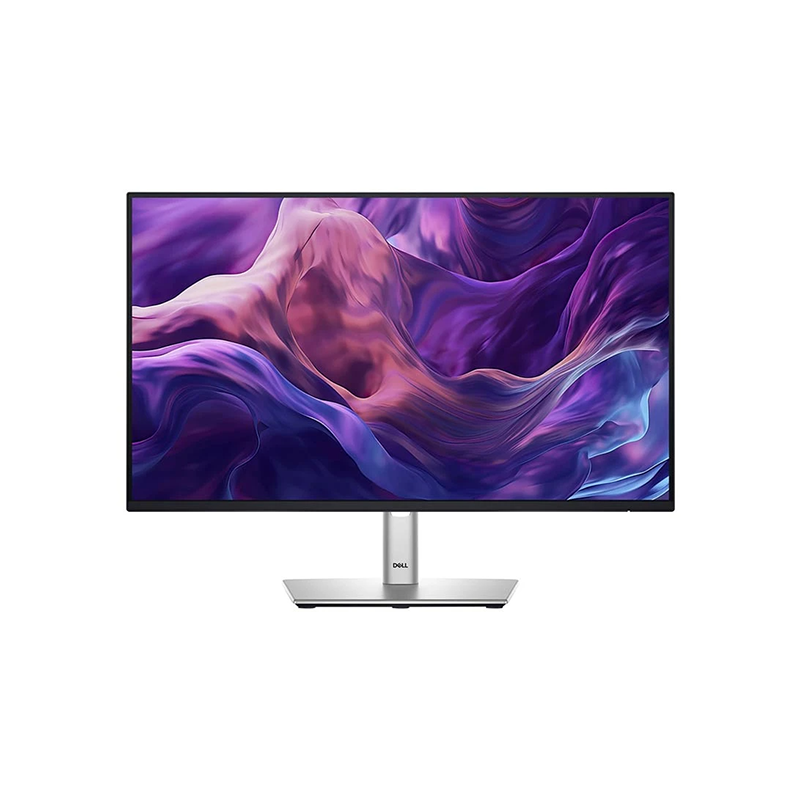
The Dell Pro 24 Plus P2425H is a 23.8-inch diagonal Full HD IPS monitor designed for office desks, study setups and everyday productivity. Its 1920 × 1080 resolution, 16:9 format and 100Hz maximum refresh rate provide a familiar workspace with smoother motion than a conventional 60Hz panel when the connected computer supports the selected mode. Dell lists 250 cd/m² typical brightness, 1500:1 typical contrast and 99% sRGB typical gamut coverage. These are manufacturer specifications, not independent measurements of the individual unit.
Screen size, resolution and desk use
The visible panel area measures 527.04 × 296.46mm. At 23.8 inches, Full HD provides a practical balance for email, spreadsheets, web research, online learning and general desktop applications. A 16:9 display works with common video formats and desktop layouts. Users who regularly place several detailed windows side by side or edit high-resolution images may prefer a higher-resolution display. Consider your normal viewing distance, scaling preference and desk depth when comparing monitor sizes.
IPS image and color characteristics
In-Plane Switching technology supports wide viewing angles, specified by Dell as 178° horizontally and vertically. Dell lists up to 16.7 million colors and 99% sRGB typical coverage. The gamut figure indicates the portion of the sRGB color space the panel is specified to cover; it does not guarantee calibration accuracy, uniformity or a particular result on every unit. For color-critical work, use a calibrated workflow and compare the monitor with the requirements of the application.
Refresh rate and response modes
The maximum listed refresh rate is 100Hz. A higher refresh rate can make pointer movement, scrolling and compatible motion content look smoother than at 60Hz, but the source device and connection must output a supported 100Hz timing. Dell identifies 5ms gray-to-gray in Fast mode and 8ms in Normal mode. Response time refers to pixel transitions; it is not the same as end-to-end input delay and does not make this office monitor a dedicated high-refresh gaming display.
Brightness, contrast and screen finish
Dell specifies 250 cd/m² typical brightness and a 1500:1 typical contrast ratio. These values describe ordinary SDR display capability; Dell does not list this model as an HDR-certified screen. The display uses an anti-glare surface with 3H hardness to reduce reflections in typical indoor environments. Brightness perception depends on room lighting and settings. Avoid placing the panel opposite strong direct sunlight, and adjust brightness to suit the room rather than assuming maximum brightness is always comfortable.
Eye-comfort features
Dell lists TÜV Rheinland 4-star eye-comfort certification, ComfortView Plus and flicker-free operation. ComfortView Plus is intended to reduce blue-light emission while preserving color, according to Dell product materials. These are display design features and do not diagnose, prevent or treat eye conditions. For long sessions, position the top of the screen comfortably, take regular breaks and use ambient lighting that avoids strong glare. Individual comfort varies with viewing distance, room brightness and personal settings.
Video connections and compatibility
The monitor includes one HDMI 1.4 input, one DisplayPort 1.2 input and one VGA input. Dell specifies HDMI support up to Full HD 100Hz; the exact available modes depend on the source and cable. DisplayPort is suitable for a compatible modern desktop, while VGA can help with older systems but may not support the same maximum timing. Connect the video cable to the computer’s graphics output, choose the matching input in the monitor menu and set a supported resolution and refresh rate in the operating system.
USB hub and the important USB-C distinction
The P2425H has one USB 3.2 Gen 1 Type-B upstream port and three USB 3.2 Gen 1 Type-A downstream ports. To use the monitor as a USB hub, connect the upstream Type-B port to a USB port on the computer with the appropriate cable; Dell lists a 1.8m USB-A-to-B cable in the box. There is also one USB-C downstream accessory/data port with up to 15W power delivery. This connector is not the upstream laptop docking port and should not be treated as a USB-C video input or a single-cable laptop charging solution.
Stand adjustment and mounting
The included stand supports height adjustment up to 150mm, tilt from -5° to +21°, swivel from -45° to +45° and pivot from -90° to +90°, according to Dell. These adjustments help align the screen with a seated position or rotate it for a portrait-oriented workspace. The monitor also lists a 100 × 100mm VESA mount. If installing an arm, verify its load rating, fastener compatibility and clearance before removing the stand. Support the panel securely during installation.
Audio and accessories
Dell specifies that the monitor has no integrated speakers. HDMI or DisplayPort may carry digital audio to a suitable endpoint, but this panel itself does not produce sound. Use the computer’s speakers or audio jack, headphones, or a separately purchased compatible soundbar. The soundbar is an optional accessory and is not included in the standard box description. Confirm connection and compatibility with the chosen computer and accessory before purchase.
Physical dimensions, power and placement
Dell lists the monitor width as about 538.64mm and depth with the stand as about 181.75mm; the height at its lowest stand position is about 364mm. Without the stand, the listed height is 314.2mm and depth is about 50.04mm. The product specifications describe a 100–240V AC input, 11.7W typical on-mode consumption and a 65W maximum value. Leave ventilation space, route cables with enough slack for stand movement and check the desk footprint before installation.
Package contents and setup
Dell lists the panel, stand riser and base, setup/safety documentation, power cord, a 1.8m DisplayPort cable and a 1.8m USB-A-to-B cable. The local imported package can differ, so check the retailer’s written inclusions and inspect the carton at delivery. Assemble the stand on a protected, stable surface, connect power and the chosen video input, then select the correct input source. Connect the USB upstream cable separately if you want to use the display’s USB hub.
Who this monitor may suit
The P2425H may suit office users, students and home workstations that need a 23.8-inch IPS display, Full HD resolution, 100Hz, a flexible stand and several video inputs. The USB hub can keep compatible accessories close to the screen after the upstream cable is connected. The VGA input may be useful for older equipment. Consider a QHD monitor if you need more desktop space, built-in speakers if you want integrated audio, or a USB-C hub monitor if laptop video, docking and charging through one cable are essential.
Limitations to check before buying
The panel is Full HD rather than QHD or 4K, has no built-in speakers and is not specified as an HDR monitor. The USB-C port is downstream accessory/data connectivity up to 15W; it is not a one-cable laptop video-and-power dock. Color-gamut coverage is not a guarantee of calibrated color accuracy. A 100Hz mode requires compatible hardware and timing. These distinctions help compare the P2425H with Dell’s other models, including USB-C hub variants whose names and capabilities differ. Verify that the exact model label says P2425H.
Bangladesh price, availability and warranty
During this research, Ryans displayed ৳27,000 and Techland displayed ৳30,500 for retailer listings of this model. Retail prices, stock, delivery and importer channels can change, and these observations do not establish a current BiponiBD offer. Some Bangladesh sellers advertise three-year warranty coverage. Ask the seller to identify the local importer and service provider, confirm the serial is eligible, and provide written terms for service, exchange, panel defects and required invoice/box. No specific unit’s local warranty has been independently verified here.
Care and support preparation
Keep the invoice, packaging and serial label for any service request. Before cleaning, turn off and unplug the display; use a soft clean cloth and avoid applying liquid directly to the screen. Do not press on the panel. For setup, driver or troubleshooting guidance, use Dell’s support page for the P2425H and confirm the model number on the rear label. If the package, ports or stand differ from the listing, photograph the discrepancy and contact the retailer promptly.
Key features
- 23.8-inch diagonal IPS display with 1920 × 1080 Full HD resolution and a 16:9 aspect ratio.
- Up to 100Hz refresh rate for smoother desktop scrolling and motion when the connected device supports the selected timing.
- Typical 250 cd/m² brightness, 1500:1 contrast and 178° horizontal/vertical viewing angles per Dell.
- 99% sRGB typical coverage and support for up to 16.7 million colors; this is a manufacturer gamut figure, not a calibration certificate.
- Dell lists 5ms gray-to-gray in Fast mode and 8ms in Normal mode; these are pixel response specifications, not total input latency.
- HDMI 1.4, DisplayPort 1.2 and VGA video inputs support newer and legacy desktop connections.
- USB 3.2 Gen 1 hub with one Type-B upstream and three Type-A downstream ports, plus a USB-C downstream accessory/data port rated up to 15W PD.
- The USB-C port does not replace the USB-B upstream cable for the monitor hub and is not advertised as a laptop docking/video input on this model.
- Four-way stand adjustment: up to 150mm height, tilt, swivel and pivot; 100 × 100mm VESA mounting pattern.
- TÜV Rheinland 4-star eye-comfort certification, ComfortView Plus and flicker-free operation are manufacturer-listed features.
- No integrated speakers; an optional compatible soundbar or external audio device is needed for sound.
- Dell lists a 1.8m DisplayPort cable and 1.8m USB-A-to-B cable in the included cable bundle; verify the local carton before purchase.
Pros and considerations
Pros
- The 100Hz IPS panel and wide viewing angles suit office work, browsing, study and general productivity across a broad range of viewing positions.
- A height-adjustable stand with tilt, swivel and pivot allows more desk positioning options than a fixed tilt-only stand.
- HDMI, DisplayPort and VGA inputs help connect both current computers and older systems without relying on one video connector.
- The USB hub adds three downstream USB-A ports and one USB-C accessory port when the USB-B upstream cable is connected to the computer.
- Dell lists 99% sRGB typical coverage and 4-star eye-comfort features for everyday color-aware office use and extended viewing sessions.
Cons and limitations
- Full HD at 23.8 inches is less detailed than QHD or 4K monitors for dense documents, detailed design work and large desktop canvases.
- The USB-C port is downstream data/accessory connectivity up to 15W; it should not be purchased as a one-cable laptop display-and-power dock.
- There are no built-in speakers, so audio requires the computer’s own audio output, headphones or a separately purchased soundbar.
- The typical 250-nit brightness and standard IPS contrast are intended for ordinary indoor use; the product is not specified as an HDR monitor.
- Bangladesh price, stock and advertised warranty vary by seller; exact serial eligibility and local after-sales terms remain to be confirmed.
Frequently asked questions
What is the screen size and resolution?
Dell specifies a 23.8-inch diagonal IPS display with 1920 × 1080 Full HD resolution and a 16:9 aspect ratio. Retail listings may describe it as a 24-inch monitor.
Does the Dell P2425H support 100Hz?
Yes. Dell lists a 100Hz maximum refresh rate. The computer, graphics output, connection, cable and selected resolution/timing must all support the mode.
Can I connect a laptop using the USB-C port for display and charging?
Do not assume that. On the P2425H, Dell identifies USB-C as a downstream data/accessory port with up to 15W power delivery. It is not the USB-C upstream docking/video input. Use HDMI or DisplayPort for video and the USB-B upstream connection for the monitor USB hub.
What ports are available?
Dell lists HDMI 1.4, DisplayPort 1.2, VGA, one USB 3.2 Gen 1 Type-B upstream, three USB 3.2 Gen 1 Type-A downstream and one USB-C downstream port rated up to 15W PD for data/accessory use.
Does it have built-in speakers?
No. Dell specifies no built-in speaker. Use computer audio, headphones or a separately purchased compatible soundbar.
What is the panel type and viewing angle?
It uses an IPS panel with typical 178° horizontal and 178° vertical viewing angles. Dell lists anti-glare coating with 3H hardness.
What does 99% sRGB mean?
Dell lists 99% sRGB typical color-gamut coverage. This describes gamut coverage, not color accuracy, factory calibration or suitability for a specific professional color workflow.
What are the response-time modes?
Dell lists 5ms gray-to-gray in Fast mode and 8ms in Normal mode. Response time is a panel transition specification, not system input latency.
Can the stand rotate to portrait?
The stand supports height adjustment up to 150mm, tilt, swivel and pivot; Dell lists pivot from -90° to +90°. Check desk clearance and rotate the operating system image if using portrait orientation.
Can it be mounted on a monitor arm?
Dell lists a 100 × 100mm VESA mounting interface. Confirm that the arm supports the monitor’s weight, mounting screws and clearance, and follow Dell’s installation guidance.
What is included in the box?
Dell’s listed package includes the panel, stand riser and base, documentation, power cord, 1.8m DisplayPort cable and 1.8m USB-A-to-B upstream cable. Imported bundles can vary, so confirm the sealed local package with the seller.
What price and warranty should I expect in Bangladesh?
Research observed retailer listings around ৳27,000 at Ryans and ৳30,500 at Techland; these are time-sensitive seller observations, not a BiponiBD price or stock promise. Some local listings advertise three years. Confirm the exact serial, importer, service center, warranty document and dead-pixel terms before ordering.
Source note: Model-specific technical facts are based on Dell’s P2425H product specifications and datasheet. Retail price and warranty are seller observations checked 2026-11-08T21:23:21.330Z; they do not verify a BiponiBD offer, current stock or a particular serial’s coverage. No independent hands-on test is claimed.