Pros
- Two computers can take turns using one compatible USB device
- Manual selection avoids repeatedly moving the peripheral cable
- Manufacturer lists a metal enclosure and USB 2.0 support

All categories
 New condition
Computer Accessories
Dtech · DT-8321
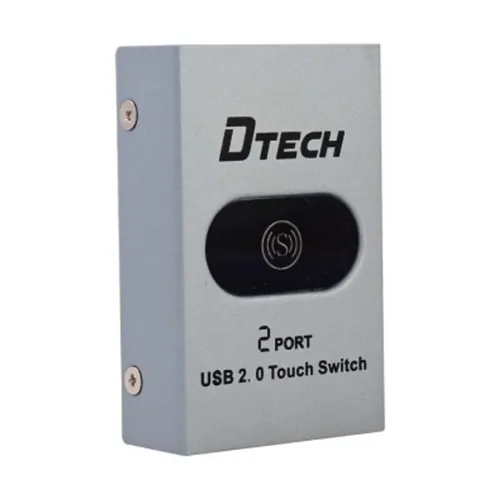
Dtech DT-8321 manual USB 2.0 sharing switch lets two computers take turns using one compatible USB peripheral.
Approximate Market Price
BDT 990
Informational market estimate only; this is not a current Store offer. Last checked Nov 11, 2026. Source
Compare store prices
No live offers for this variant
BDT 990
Approximate Market Price
Informational market estimate only; this is not a current Store offer. Last checked Nov 11, 2026. Source
Loading history…
Product story
The Dtech DT-8321 is a manual USB sharing switch designed for two computers to take turns using one compatible USB 2.0 peripheral. It can help share a printer or other supported device without moving its cable between computers. The manufacturer describes a metal enclosure and manual selection.
Connect each computer and the shared peripheral using suitable USB cables, following the markings and instructions supplied with the unit. Select the computer that needs access using the switch. The peripheral is available to the selected computer, not both simultaneously. Finish print jobs or safely eject storage before switching to reduce the risk of interrupted work or data loss.
The manufacturer lists USB 2.0 and gives examples including printers, scanners and other USB peripherals. The retailer lists USB Type-A and Type-B interfaces. Check the exact port arrangement, required cables, device power needs and operating-system support for your equipment before ordering. Peripheral drivers may still be needed; a switch does not add network connectivity or turn a USB printer into a network printer.
The manufacturer says the switch itself does not require external power. Its page mentions both push-button selection and a rotary switch; confirm the control on the supplied unit. Place it where the selector is accessible, avoid straining connected cables and keep the enclosure dry. High-power peripherals may have their own power requirements.
Confirm model DT-8321, the number and type of ports, included cables, device compatibility and warranty with the seller. The available manufacturer description does not establish package contents or local warranty terms. Check the current price and return policy before placing an order.
Helpful answers
Product-specific answers maintained with the catalog information.
The switch is designed to let two computers take turns using one compatible USB device. Check the printer and operating-system compatibility and install any required drivers.
The manufacturer states that the switch itself requires no external power. A connected peripheral may have its own power requirements.
No. Select the computer that will use the shared device. Complete active jobs or safely eject storage before switching.
Customer community
Become a merchant
Join BiponiBD, publish accurate offers and start free.