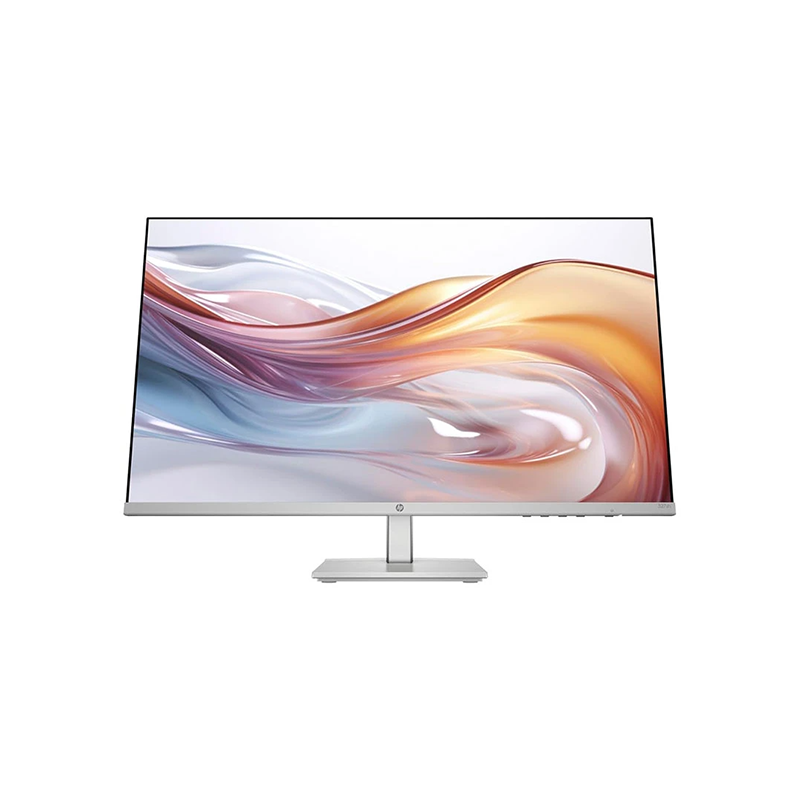
The HP Series 5 527sh is a 27-inch Full HD IPS monitor intended for everyday work, study, browsing and entertainment. HP lists a 100Hz refresh rate, 99% sRGB gamut, 300-nit typical brightness and 1500:1 static contrast. The model combines a height-and-tilt stand with dual HDMI and VGA inputs, Eye Ease comfort features and a three-sided thin bezel. This is a general-purpose 100Hz display, not a 1440p screen or a high-refresh esports monitor. Match the monitor to how you work: Full HD is widely compatible and can reduce GPU demand, while 27 inches provides a large physical image. Users who need crisp fine text at close range, extensive desktop workspace or color-critical output should compare resolution and measured calibration data before choosing.
Display size and Full HD clarity
The 68.6cm (27-inch) diagonal panel has 1920 × 1080 native pixels in a 16:9 format. HP specifies a 0.31 × 0.31mm pixel pitch. The screen can show standard Full HD computer content without scaling to a higher native resolution, and the 16:9 ratio fits common documents, video and web layouts.
At 27 inches, Full HD has lower pixel density than 2560 × 1440 at the same size. This is a relevant trade-off for users who sit close to the screen or regularly view small typography, detailed spreadsheets and high-resolution images. If your software benefits from more desktop area, a 1440p model may be a better match, although it also requires more graphics performance. Set the operating system to the native resolution for the clearest text and interface rendering.
IPS panel, color and contrast
HP lists IPS LCD technology with 178-degree horizontal and vertical viewing angles. It states 99% sRGB color gamut, up to 16.7 million colors through A-FRC, 300 nits typical brightness and 1500:1 static contrast. IPS viewing angles help keep the picture more consistent when viewed from the side than a narrow-angle panel.
The 99% sRGB statement describes gamut, not an independent calibration report, Delta E value or panel uniformity result. If your work requires reliable print matching, verify calibration and color-management needs rather than assuming a gamut percentage proves accuracy. Static contrast is the meaningful listed contrast figure for normal viewing. Room lighting and screen brightness also change perceived contrast, so position the display to avoid direct reflections and tune brightness to the workspace.
100Hz refresh rate and motion
The monitor supports up to 100Hz, and HP lists a vertical scan range of 48–100Hz. A higher refresh can make supported motion, cursor movement and scrolling look smoother than 60Hz. To use 100Hz, the computer, graphics output, cable, active input and operating system all need to expose that mode.
A 100Hz capability does not force games or video to run at 100 frames per second. Rendering speed depends on the device and content. Choose the highest stable mode supported by the source after connecting, then confirm it in advanced display settings. The consulted official specification does not claim adaptive sync, so do not assume variable-refresh gaming support based solely on the 100Hz rating. For console use, confirm the console’s supported output timings and the monitor’s accepted modes.
Response time and realistic expectations
HP specifies 5ms GtG typical with overdrive. Gray-to-gray response is a pixel transition measurement, whereas input latency measures a broader system-to-display delay. The figure is not a guarantee that every transition has the same duration. Motion clarity also depends on refresh rate, frame pacing, source performance and the user’s viewing conditions.
Overdrive can change transition behavior and may introduce overshoot if set aggressively. Use HP’s on-screen settings and evaluate familiar content rather than choosing a mode based only on a label. This monitor’s published positioning is everyday productivity and entertainment. Competitive players who need very high refresh ceilings, explicit variable refresh support or measured motion performance should compare gaming-focused models and independent test results.
Stand ergonomics and setup
HP describes a height-and-tilt adjustable stand and offers an Ergonomic Setup Guide in HP Display Center for supported Windows hosts. Adjusting screen height can help align the top of the display near eye level, while tilt lets the user reduce uncomfortable reflections and find a comfortable viewing angle. The stand also has integrated cable containment according to HP.
HP’s product sheet does not state the adjustment range, swivel or pivot capability. Do not infer those measurements from a related Series 5 model or a retailer’s generic feature label. If you require portrait rotation, broad swivel, a specific height range or a monitor arm, verify the exact regional unit and its official mounting instructions first. Place the monitor on a stable desk and keep enough space behind it for cables and ventilation.
Ports and connected devices
Two HDMI 1.4 inputs and one VGA input let the 527sh accept multiple devices without changing cables each time. HDMI is suitable for modern PCs, laptops and media devices; VGA can support older equipment when the source provides an analog output. The display has no listed DisplayPort, USB-C docking, integrated USB hub or camera in the official materials consulted.
When connecting a laptop, check whether it has HDMI or needs a supported adapter. VGA is analog and can look softer than a native digital HDMI signal, particularly if the source timing or cable quality is poor. Select the matching input through the monitor’s on-screen controls. If connecting several computers, label cables and confirm which source is active before troubleshooting a blank screen. Audio and webcam functions require separate devices because they are not listed as built in.
Eye comfort and software
HP describes Eye Ease with Eyesafe certification and says its hardware blue-light reduction is designed not to impact color accuracy. The product sheet also lists TÜV Flicker Free certification. HP Display Center provides display management and the Ergonomic Setup Guide; HP notes Windows 10 or later is required for that host software.
Eye-comfort options can be useful for tailoring a display to a workspace, but no monitor feature removes the need for comfortable breaks, readable text size and suitable ambient light. If accurate color is important, verify the picture mode and color workflow after enabling comfort settings. Keep the monitor out of direct glare and set brightness to a level that remains comfortable over a full work session. Chromebook compatibility is certified by HP for supported Chrome OS devices.
Design, dimensions and desk planning
HP lists a three-sided thin bezel and a thin-and-light design with cable containment. Dimensions are 607.9 × 34.2 × 356mm without the stand and 607.9 × 212.2 × 500.3mm with the stand; weight is 4.15kg with the stand. The stand footprint adds substantial depth compared with the panel alone.
Measure desk width, depth and the viewer-to-screen distance before installation. Allow room for the height-adjustment movement and connected cables. HP’s sheet includes a standard lock slot, with the lock sold separately. It does not confirm a VESA pattern in the consulted table, so verify mounting compatibility before buying a third-party arm or wall bracket. Lift the monitor by the frame and follow the instructions to avoid pressure on the LCD surface.
Power and sustainability information
The HP sheet specifies 100–240V AC at 50/60Hz, 19W typical power, 24W maximum and 0.5W standby. It also lists sustainability details including 85% post-consumer recycled plastic and 5% ocean-bound plastic, along with recyclable sustainably sourced outer packaging materials. These figures describe HP’s published product configuration and test basis.
Actual electricity use depends on brightness, input signal, time in standby and the usage pattern. Use the supplied power adapter and AC cord, leave ventilation unobstructed and switch off the display when it is not needed. Sustainability percentages refer to HP’s documented component/material composition and packaging statements; they do not describe a local retailer’s packaging or prove that every regional configuration has an identical box.
Included accessories and regional SKU
HP’s product sheet lists the monitor, HDMI cable, power adapter, AC power cord and document kit. It explicitly notes that included cables may vary by country. HP Bangladesh identifies a 94C51AA listing while the global product sheet consulted describes 94C50AA. Those are regional part-number variants for the 527sh family, so confirm the carton label and included accessories for the actual unit.
Do not substitute specifications from the related 527sw, 527sa or other Series 5 models. Similar model names can have different colors, stands, speakers, ports or regional bundles. The product identity in this listing is 527sh. Ask the seller to show the model label or confirm the regional part number, exact stand type, HDMI cable and warranty provider before paying. Retain the invoice and packaging for support.
Price, availability and warranty in Bangladesh
Retail pages checked during this review showed UltraTech at ৳25,500/In Stock, IOS BD at ৳26,600/In Stock and Dream Electronics at ৳26,700. These seller pages are snapshots and may change due to stock, promotions, import channel or location. They do not prove an active BiponiBD offer, inventory position or final delivery price.
There is a material warranty difference to resolve: HP’s official global product sheet states HP standard one-year limited warranty, while some Bangladesh retailers advertise three years. The exact warranty may depend on regional SKU, importer, local serial eligibility and seller terms. Obtain written confirmation of the provider, covered period, service location, invoice requirement and claim process for the serial number being sold.
Who should choose the HP 527sh
The 527sh can suit a home office, study desk or shared family computer where a 27-inch IPS image, 100Hz refresh, height adjustment and simple HDMI/VGA connectivity are useful. Chromebook certification and Windows HP Display Center support can help in supported setups. Dual HDMI inputs are handy when switching between a computer and another digital source.
Consider alternatives if you need sharper text at 27 inches, USB-C charging/docking, DisplayPort, integrated speakers/camera, a pivoting stand, confirmed VESA mounting, a very high gaming refresh rate or a locally verified multi-year manufacturer warranty. These are separate requirements that are not established by the official 527sh sheet reviewed here. Match the monitor to your devices and obtain written confirmation where retailer bundle and warranty details differ.
Key features
- 27-inch (68.6cm) Full HD IPS LCD with 1920 × 1080 resolution and 16:9 aspect ratio.
- 100Hz maximum refresh rate for smoother pointer movement, scrolling and supported video/game motion.
- 99% sRGB color gamut and up to 16.7 million colors (A-FRC), as specified by HP.
- 300 nits typical brightness and 1500:1 static contrast ratio.
- 5ms GtG typical response with overdrive; actual pixel transitions and total input latency vary.
- Height and tilt adjustable stand; HP Display Center includes an Ergonomic Setup Guide for supported Windows hosts.
- HP Eye Ease with Eyesafe certification, intended to reduce blue light while preserving color accuracy.
- Two HDMI 1.4 inputs and one VGA input support multiple connected sources.
- Three-sided thin bezel, integrated cable containment and Works With Chromebook certification.
- HP sheet lists 19W typical and 24W maximum power, with 0.5W standby.
Frequently asked questions
What is the resolution of the HP 527sh?
The HP Series 5 527sh uses a 27-inch IPS panel with native Full HD resolution of 1920 × 1080 and a 16:9 aspect ratio.
Does the HP 527sh support 100Hz?
Yes. HP lists a maximum vertical scan frequency of 100Hz. The source computer and selected resolution/connection must support the refresh mode.
What ports does this model have?
HP lists two HDMI 1.4 inputs and one VGA input. The consulted official product sheet does not list DisplayPort, USB-C or a USB hub.
Is the screen suitable for gaming?
It can display compatible games at up to 100Hz and its IPS panel offers wide viewing angles. It is a general-purpose monitor, not a dedicated high-refresh esports model; frame rate depends on the PC and game.
What does 5ms GtG mean?
HP specifies 5ms GtG typical with overdrive. It is a pixel transition rating, not total system input latency, and real transitions vary with settings and conditions.
Does it have an adjustable stand?
HP describes height and tilt adjustment. The official sheet consulted does not confirm the tilt range or swivel/pivot. Confirm exact regional stand details before purchase.
Can I mount it on a monitor arm?
The consulted HP product sheet does not confirm a VESA pattern. Check the exact unit’s rear mounting specification before buying an arm or wall mount.
Does it have speakers or a webcam?
HP identifies no integrated camera; speakers are not listed in the official sheet consulted. Use a separate webcam and speakers/headphones if needed.
What eye comfort features are included?
HP lists HP Eye Ease with Eyesafe certification and TÜV Flicker Free certification in the product sheet. These features do not replace normal breaks, good room lighting or comfortable screen positioning.
What is the price in Bangladesh?
Retailer observations checked for this review: UltraTech ৳25,500/In Stock; IOS BD ৳26,600/In Stock; Dream Electronics ৳26,700. Prices and stock change and do not establish a BiponiBD offer.
What warranty does the HP 527sh have in Bangladesh?
The official HP product sheet states a standard one-year limited warranty, while some Bangladesh retailers advertise three years. Confirm the exact SKU, serial eligibility, provider, service location and claim terms in writing.
What is included in the box?
HP lists the monitor, HDMI cable, power adapter, AC power cord and document kit, with a note that included cables may vary by country. Ask the seller to confirm the local package.
Source note: HP official product page and datasheet support specifications. Bangladesh price, stock and warranty notes are retailer observations checked 2026-11-08T20:59:58.354Z; they do not verify a BiponiBD offer or local serial coverage. No hands-on or colorimeter testing is claimed.