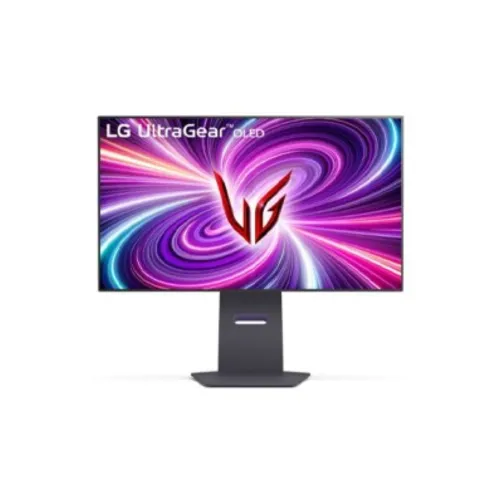
LG UltraGear 32GS95UE-B overview
The LG UltraGear 32GS95UE-B is a 31.5-inch OLED gaming monitor with Dual Mode: UHD 3840 × 2160 at up to 240Hz or FHD 1920 × 1080 at up to 480Hz. LG specifies 0.03ms GTG response, VESA DisplayHDR True Black 400, a 1,500,000:1 contrast ratio, G-SYNC Compatible and AMD FreeSync Premium Pro. Pixel Sound with DTS Virtual:X sends audio through the OLED screen, and the stand supports height, tilt and pivot adjustment.
Exact model and screen dimensions
The model is LG UltraGear 32GS95UE-B; some listings omit the regional B suffix. LG describes the product as a 32-inch class monitor and a 31.5-inch active screen. Confirm the exact model on the unit, box and invoice. Do not confuse it with other LG UltraGear models whose resolution, OLED type, ports or refresh rate differ. This update preserves the current product URL, Active status and SKU.
OLED panel and 4K UHD detail
The monitor uses a flat OLED panel with a 16:9 aspect ratio and 3840 × 2160 UHD resolution in its 4K mode. The high pixel count can show detailed game scenes and desktop text, while OS scaling can improve text comfort. OLED pixels can control their own light, supporting deep blacks. Panel appearance still depends on room light, picture mode, source and the individual unit.
Dual Mode: choose resolution or speed
LG Dual Mode switches between UHD 3840 × 2160 at up to 240Hz and Full HD 1920 × 1080 at up to 480Hz. The higher resolution suits detailed games and general use; the faster FHD mode targets competitive titles where motion speed takes priority. A hotkey or monitor control changes mode. The selected mode, game and graphics source determine which resolution and refresh are actually available.
0.03ms GTG response and motion
LG specifies a 0.03ms gray-to-gray response time. This is a pixel transition rating under manufacturer test conditions, not total system latency. Actual responsiveness also depends on refresh mode, source frame rate, processing and game settings. Enable the chosen Dual Mode and verify the display signal on the source. The 480Hz mode does not increase the game’s rendered frame rate automatically.
VESA DisplayHDR True Black 400
LG lists VESA DisplayHDR True Black 400 and a typical contrast ratio of 1,500,000:1. OLED can produce dark blacks by reducing light from individual pixels. HDR appearance depends on the game or video, HDR configuration, picture mode and window size. A certification tier is not a guarantee that every scene reaches the same peak brightness. Enable HDR on the source and monitor for compatible content.
FreeSync Premium Pro and G-SYNC
The 32GS95UE supports AMD FreeSync Premium Pro and NVIDIA G-SYNC Compatible. Variable refresh can synchronize supported graphics hardware with the monitor to help reduce tearing and stutter. LG notes G-SYNC compatibility depends on GPU generation and connection. Enable VRR on both devices and test with supported content; cable, port, driver and active resolution can affect the available range.
Pixel Sound and DTS Virtual:X
LG’s Pixel Sound directs sound from behind the OLED screen and lists DTS Virtual:X processing. It can create an integrated audio setup without separate desktop speakers, although headphones or an external audio system may suit different listening preferences. Use the four-pole headphone output for compatible headsets. Audio output selection and software settings depend on the connected computer or console.
HDMI 2.1 and DisplayPort 1.4
The cataloged model lists two HDMI 2.1 ports and one DisplayPort 1.4 input. LG notes that a graphics card supporting DisplayPort 1.4 or HDMI 2.1 is required for up to 240Hz operation. Use a suitable cable and check the source’s output capability. Mode switching, resolution, color depth and graphics settings affect the signal; consult the manual for exact port timing and setup.
USB hub and headphone connection
The monitor includes USB connectivity and a four-pole headphone output with DTS Headphone:X support listed in the catalog data. Connect the USB upstream path to the computer when using the downstream hub. Exact USB port generation and number can vary with regional product documentation; verify against the supplied manual before attaching high-speed storage. The headphone jack supports compatible wired audio equipment.
OLED care and long-term use
OLED panels can be affected by persistent static content. Use the monitor’s screen care and protection functions, follow panel refresh prompts and avoid leaving fixed bright interface elements displayed for long periods. LG documents OLED care features for the product line; available settings depend on firmware and region. These measures help manage use but do not make all image-retention risk disappear. Review warranty exclusions for commercial or abnormal use.
Ergonomic stand and VESA mount
The stand allows height adjustment, tilt and pivot; LG’s product materials highlight an adjustable screen. The catalog lists 100 × 100mm VESA mounting, swivel and tilt values. Check arm capacity, screw length, clearance, desk stability and cable routing before mounting. The large 31.5-inch panel should be supported during installation and positioned at a comfortable eye level.
Gaming features and screen settings
LG UltraGear features include game modes, on-screen targeting and picture controls such as Black Stabilizer, Dynamic Action Sync and Crosshair on this product family. These options can change shadow visibility, response behavior and image appearance. Choose settings per game and compare with a neutral mode when color accuracy matters. Software and monitor firmware can affect which controls are available.
Color, brightness and viewing angles
LG specifies a 98.5% DCI-P3 color gamut for this model in product information, with wide OLED viewing angles. Brightness varies by content and HDR mode; do not treat one peak figure as full-screen sustained output. Use color-managed software and suitable settings for editing. Room lighting and reflections may affect perceived contrast even with an anti-glare surface.
Power, cables and package contents
The monitor uses an external power adapter, and its box contents may vary by region. Check the supplied power cable, HDMI or DisplayPort cable, USB data cable, stand pieces, VESA hardware and paperwork on delivery. Use the adapter specified for the unit, keep ventilation clear and follow LG’s setup instructions. Retain the carton and serial label for warranty or service.
Bangladesh price, stock and warranty
This content review confirms LG product capabilities but not a current BiponiBD offer, stock level, shipping condition or the warranty of a particular serial. Ask the seller to confirm the exact 32GS95UE model suffix, new/sealed condition, local service route, warranty duration, panel coverage and included accessories. Keep the invoice and packaging serial label for service.
Frequently asked questions
What is the panel size? 31.5-inch active area, sold as a 32-inch class monitor. What resolution? 4K UHD at 240Hz or FHD at 480Hz in Dual Mode. What response time? 0.03ms GTG. Is it OLED? Yes. What HDR certification? VESA DisplayHDR True Black 400. Does it support VRR? G-SYNC Compatible and FreeSync Premium Pro. Does it have built-in audio? Yes, Pixel Sound with DTS Virtual:X. Which ports? Two HDMI 2.1 and one DisplayPort 1.4. What Bangladesh warranty applies? Confirm the exact serial and local terms with the seller.