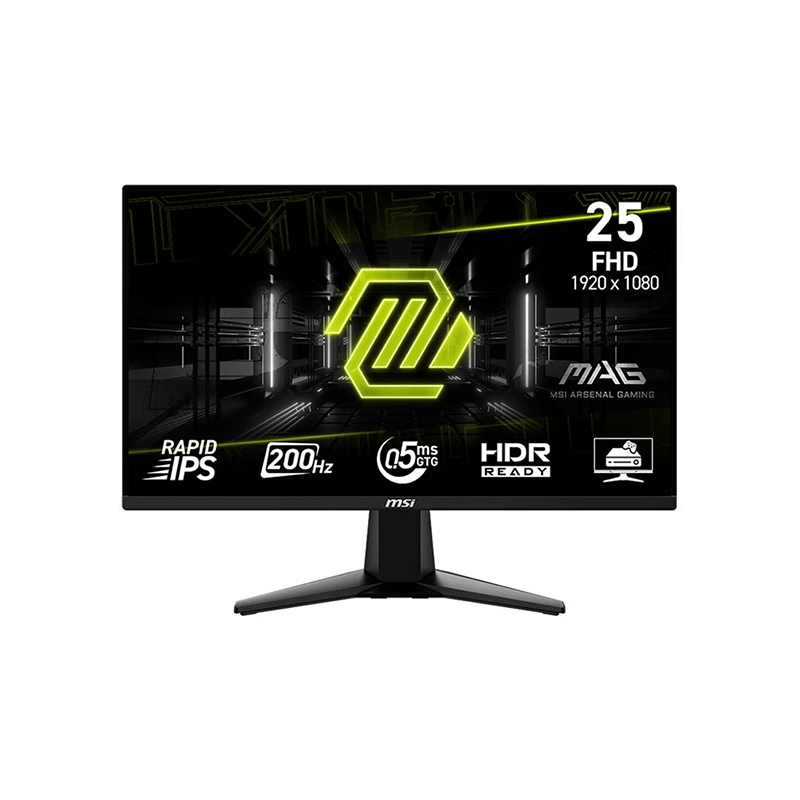
MSI MAG 255F E20 24.5-inch Rapid IPS gaming monitor
The MSI MAG 255F E20 is a flat 24.5-inch Full HD monitor with a Rapid IPS panel and maximum refresh rate of 200Hz. MSI lists 0.5ms GtG as a minimum response figure, 300 cd/m² SDR brightness, 1000:1 typical contrast, HDR Ready input support and AMD FreeSync Premium. Connectivity includes two HDMI 2.0b ports supporting Full HD up to 200Hz, one DisplayPort 1.2a (HBR2) and one headphone output. The monitor tilts, supports 100 × 100mm VESA mounting and has a Kensington lock. MSI's official product specification is the source for the technical data below.
24.5-inch Full HD Rapid IPS panel
The MAG 255F E20 uses a 24.5-inch flat Rapid IPS panel with 1920 × 1080 resolution and a 16:9 aspect ratio. MSI lists an active display area of 543.744 × 302.616mm and pixel pitch of 0.2832mm horizontally by 0.2802mm vertically. The anti-glare treatment helps limit reflections in typical indoor environments, although direct light can still affect visibility. Viewing angles are specified at 178 degrees horizontally and vertically.
Full HD at 24.5 inches creates a familiar gaming and desktop layout and is generally easier for many graphics cards to drive at high frame rates than QHD. It provides less fine detail and workspace than QHD at a similar screen size. If your main use is text-heavy office work, photo editing or large spreadsheets, compare higher-resolution options. The panel's Rapid IPS label indicates a gaming-oriented IPS design, but actual motion results depend on transitions and settings.
200Hz refresh and input support
MSI lists a maximum refresh rate of 200Hz and an activated variable-refresh range of 48–200Hz. Both HDMI 2.0b ports support Full HD at up to 200Hz, and the DisplayPort 1.2a (HBR2) input also supports Full HD up to 200Hz. Connect the monitor to a compatible GPU output, use a suitable cable and select 1920 × 1080 at 200Hz in the computer's display settings. A console may support lower frame rates and modes than a gaming PC.
If 200Hz is missing, check the selected input, graphics card output, cable, driver and refresh selection. Remove adapters, docks or KVMs that may limit bandwidth while troubleshooting. A high refresh monitor displays updates more frequently when the source provides them; it does not increase the game's frame rate. The actual result depends on GPU performance, game settings, frame-rate stability and whether the application can render enough frames.
0.5ms GtG minimum response
MSI specifies 0.5ms GtG (minimum). The word “minimum” matters: it is not a guarantee that every pixel transition completes in 0.5ms. GtG response varies across transitions and can depend on overdrive and operating conditions. Motion clarity is also affected by refresh rate, frame rate, persistence, content and display settings. Avoid treating a minimum response headline as a substitute for independent testing of the full response curve and overshoot.
Choose a response or overdrive setting that looks clear without introducing distracting bright or dark trails. Some settings may trade transition speed against overshoot. For fast competitive games, test the monitor with the titles you play and confirm the source is actually outputting a high and stable frame rate.
AMD FreeSync Premium and variable refresh
MSI lists AMD FreeSync Premium with a 48–200Hz activated range. Variable refresh can synchronize the display with compatible graphics output to reduce tearing and uneven motion when frame rate fluctuates within the supported range. Operation depends on GPU, driver, input, cable and settings. Enable FreeSync on the monitor and in the graphics software, then confirm your game is using the intended display mode.
Variable refresh is not a replacement for sufficient GPU performance. If frame rate falls below or exceeds supported conditions, behaviour depends on the graphics system and any frame-rate features it provides. The manufacturer lists FreeSync Premium; users with another GPU brand should verify compatibility on the exact card and driver rather than assuming official certification for every configuration.
Brightness, contrast, HDR Ready and colour
MSI lists 300 cd/m² SDR brightness and 1000:1 typical contrast. The specification also shows a 100,000,000:1 dynamic contrast ratio, which is not directly comparable to static contrast measured under the same conditions. “HDR Ready” is MSI's signal/readiness label for this model; it should not be presented as VESA DisplayHDR certification, local dimming or a guaranteed high peak HDR brightness. The official specification does not list local dimming.
Colour gamut is stated as 83% Adobe RGB, 79% DCI-P3 and 100% sRGB, measured under CIE1976 Standard. These values refer to gamut area/coverage metrics and should be interpreted using the stated standard. Display colour support is 1.07 billion with a 10-bit signal representation using an 8-bit plus FRC panel. Gamut and colour depth do not prove factory calibration accuracy, uniformity or true native 10-bit panel operation. For colour-critical work, request calibration data or measure the unit.
HDMI, DisplayPort and headphone audio
The monitor has two HDMI 2.0b inputs, one DisplayPort 1.2a (HBR2) and one headphone-out. MSI states that HDMI and DisplayPort each support 1920 × 1080 up to 200Hz. Two HDMI connections can keep a PC and console attached simultaneously; switch to the active source through the monitor controls. Check the included HDMI cable specification and your computer output if the desired refresh rate is unavailable.
MSI lists a headphone output but does not list built-in speakers. Connect headphones or external powered speakers to the monitor output or directly to the computer or console. Verify the source audio routing and volume. The product does not list USB ports, USB-C, a KVM switch or PIP/PBP; MSI explicitly says KVM and PIP/PBP are not supported.
MSI AI Vision and console mode
MSI AI Vision is designed to brighten darker regions and improve visibility in shadowed parts of an image. It can be useful in games where dark scenes obscure details, but altering shadow visibility also changes the intended appearance. Adjust the feature for the title and environment rather than assuming it improves every image. The monitor also lists console mode and HDMI CEC. Compatibility depends on the connected device and its supported signal.
HDR Ready, AI Vision and console mode are separate features. HDR signal handling alone does not establish the brightness, local dimming or certification level of the screen. Review the game's settings and the monitor's on-screen controls when switching from PC to console content.
Stand, VESA mounting and desk placement
The supplied stand tilts from -5° to +20°. Height adjustment, swivel and pivot are not listed. If you need more movement, MSI specifies a 100 × 100mm VESA mount for a compatible arm or bracket. Confirm the mounting hardware, screw length, monitor weight and arm rating before installation. The display also includes a Kensington lock for an optional compatible security cable.
MSI lists dimensions of 557.1 × 220.1 × 418.5mm with stand and 557.1 × 66.4 × 326.9mm without stand. Net weight is 3.24kg and gross shipping weight is 5.13kg. Measure desk depth, cable routing and arm clearance before installing. The monitor is black; inspect the physical finish and package labels when your order arrives.
Power, package and care
The monitor uses an internal power board and accepts 100–240V AC at 50/60Hz. MSI's current specification gives the voltage range but does not list a complete wattage figure in the model table reviewed. Use the supplied C13 power cord and follow the rating label. Avoid substituting a power cable or accessory that does not meet the device and local electrical requirements.
MSI lists one HDMI 2.0 cable, one C13 power cord and a quick guide in the package. Regional boxes may vary; confirm included items, warranty paperwork and dead-pixel policy with the Bangladesh seller. Inspect the screen, stand, serial label, carton and cables at delivery and keep the invoice. Clean the anti-glare panel with a suitable soft cloth and follow MSI care guidance.
Who should consider the MAG 255F E20?
This monitor may suit PC and console gamers seeking a 24.5-inch Full HD Fast IPS display with a high refresh rate, FreeSync Premium and multiple video inputs. HDMI 2.0b and DisplayPort 1.2a both support the 200Hz mode, and the 48–200Hz variable-refresh range can help compatible systems. The compact screen size and 100 × 100mm VESA pattern can fit gaming desks and multi-source setups.
Consider a QHD monitor if you need sharper text or more workspace, built-in speakers if integrated audio is essential, or a height-adjustable stand if ergonomic adjustment matters. HDR Ready is not a promise of advanced HDR image quality. Competitive gamers should treat 0.5ms as MSI's minimum GtG figure and compare real response testing as well as refresh rate.
Bangladesh price, stock and warranty
A Bangladesh Skyland listing observed for this review showed a ৳21,500 cash-discount price and a ৳23,870 regular price, with the page marked in stock at the time of observation. Other local pages may show different prices and availability; promotions can change quickly. This is third-party seller information, not a live BiponiBD offer. Confirm current stock, final price, delivery charges and the exact MAG 255F E20 model code before paying.
Skyland advertises a three-year warranty, but local coverage depends on the seller, distributor, serial number and written terms. Ask who provides service in Bangladesh, whether the serial is eligible, what the dead-pixel policy covers and how repair or replacement is handled. Keep the invoice, warranty card, serial evidence and carton. Do not assume that a seller's warranty statement applies to every regional unit.
Frequently asked questions
What are the size, resolution and refresh rate?
MSI specifies a flat 24.5-inch Rapid IPS panel with 1920 × 1080 Full HD resolution and up to 200Hz refresh. The variable-refresh activated range is 48–200Hz.
Can both HDMI and DisplayPort run at 200Hz?
Yes. MSI lists two HDMI 2.0b ports and one DisplayPort 1.2a (HBR2); its specification states Full HD up to 200Hz on both HDMI and DisplayPort. Use a suitable source and cable.
Is 0.5ms GtG guaranteed for all pixels?
No. MSI specifies 0.5ms GtG as a minimum. Pixel transitions differ, and response depends on settings and measurement method. The minimum figure is not a universal transition-time guarantee.
Does it support FreeSync?
Yes. MSI lists AMD FreeSync Premium with a 48–200Hz activated range. Compatibility depends on the GPU, driver, input and configuration. Enable the feature in the monitor and graphics settings.
Does HDR Ready mean HDR certification?
MSI calls this model HDR Ready. That label alone does not establish a VESA DisplayHDR certification, local dimming or a particular peak HDR luminance. SDR brightness is listed as 300 cd/m².
What are the colour specifications?
MSI lists 83% Adobe RGB, 79% DCI-P3 and 100% sRGB under CIE1976 Standard. Colour support is 1.07 billion using 10-bit signal representation with an 8-bit + FRC panel. Gamut does not prove calibration accuracy.
Does the monitor have speakers?
MSI lists one headphone-out and does not list integrated speakers. Connect headphones or powered speakers to the source device or monitor audio output.
What stand and mounting options are included?
The supplied stand tilts from -5° to +20°. Height adjustment, swivel and pivot are not listed. The display supports 100 × 100mm VESA mounting and includes a Kensington lock.
What is included in the package?
MSI lists one HDMI 2.0 cable, one C13 power cord and a quick guide. Local boxes can vary; verify the included accessories and warranty paperwork with the Bangladesh seller.
What is the Bangladesh price and warranty?
A Skyland listing observed for this review showed ৳21,500 cash price and ৳23,870 regular price and advertised three-year warranty. Those are third-party seller terms, can change, and are not a live BiponiBD offer. Confirm current stock, exact serial eligibility and written coverage.
Important: MSI documents 200Hz over both HDMI 2.0b and DisplayPort 1.2a, 0.5ms GtG minimum, AMD FreeSync Premium, HDR Ready and no built-in speakers.