Pros
- Four USB-A ports expand one compatible host connection
- Individual switches and LED indicators help manage ports

All categories
 New condition
Computer Accessories
Onten · OTN-5302
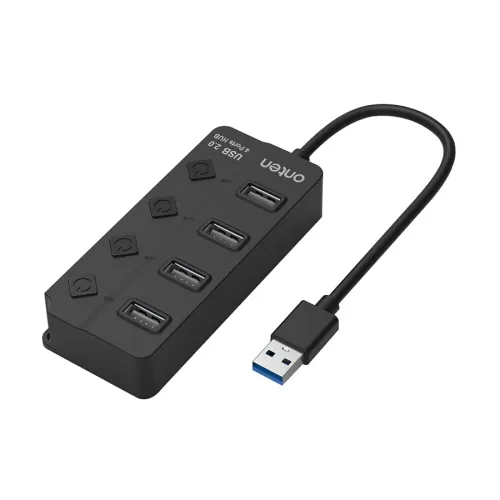
Onten OTN-5302 4-port USB 2.0 hub with individual switches, LED indicators and a 0.8 m USB-A cable for connecting compatible peripherals.
Approximate Market Price
BDT 900
Informational market estimate only; this is not a current Store offer. Last checked Nov 11, 2026. Source
Compare store prices
No live offers for this variant
BDT 900
Approximate Market Price
Informational market estimate only; this is not a current Store offer. Last checked Nov 11, 2026. Source
Loading history…
Product story
The Onten OTN-5302 expands a compatible USB-A connection into four USB 2.0 Type-A ports, making it convenient to connect everyday peripherals to a laptop or desktop. Its 0.8-metre cable provides reach between the computer and a desk surface, so the ports can be placed within easier reach.
The hub has one USB 2.0 Type-A male host connection and four USB 2.0 Type-A female outputs. It can be used with compatible peripherals such as a keyboard, mouse or flash drive. Check that your computer has a suitable USB-A port; a USB-C-only computer needs a compatible adapter, which should be checked separately.
The retailer describes individual on/off switches and LED indicators for the ports. These controls help you manage connected accessories without routinely unplugging them. Safely eject storage devices before switching off their ports or disconnecting the hub to reduce the risk of interrupting a transfer.
USB 2.0 is suited to many common peripherals, but transfer performance depends on the host, device and simultaneous activity. It does not provide USB 3.x transfer speeds. Available power is shared through the host connection; devices with higher power demands may need their own suitable power source. The listing does not establish a dedicated power-adapter specification or a charging output rating.
Measure the distance from the computer to your intended hub location before ordering: the listed cable length is 0.8 m. The retailer describes plug-and-play operation, but device and operating-system requirements can vary. Check the compatibility of each peripheral and follow its own instructions, especially for external drives.
Confirm model OTN-5302, colour, package contents and the merchant’s warranty terms. One retailer lists a two-year replacement warranty, but coverage and claim conditions may differ between sellers. Review the current offer and return policy before ordering.
Helpful answers
Product-specific answers maintained with the catalog information.
It has four USB 2.0 Type-A female output ports and one USB-A male host connection.
The retailer describes individual switches and LED indicators for the ports.
The listed cable length is 0.8 metre. Check the distance to your computer before ordering.
No. The hub uses USB 2.0; actual data speeds depend on connected devices and the host.
A compatible USB drive may be used, but power is shared through the host. Check the drive requirements; some drives need their own power supply.
Customer community
Become a merchant
Join BiponiBD, publish accurate offers and start free.