Pros
- USB-C and USB-A host connection options
- Adds an RJ45 wired network connection to a compatible computer

All categories
 New condition
Computer Accessories
Onten · OTN-UE106
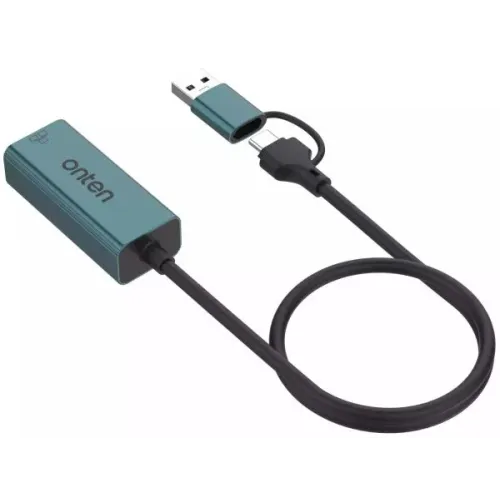
Onten OTN-UE106 USB-C and USB-A to RJ45 Ethernet adapter for wired networking, rated by the manufacturer for 10/100 Mbps. Check host compatibility and cable length with the seller.
Approximate Market Price
BDT 1,000 – BDT 1,100
Informational market estimate only; this is not a current Store offer. Last checked Sep 14, 2026.
Compare store prices
No live offers for this variant
BDT 1,000 – BDT 1,100
Approximate Market Price
Informational market estimate only; this is not a current Store offer. Last checked Sep 14, 2026.
Loading history…
Product story
The Onten OTN-UE106 is a USB to RJ45 Ethernet adapter for connecting a compatible computer or notebook to a wired network. Onten lists USB-C and USB-A input options and a 10/100 Mbps Ethernet output. It can be useful when a suitable computer lacks an Ethernet port or when a wired connection is preferred.
The manufacturer specifies 10 Mbps and 100 Mbps Ethernet for the OTN-UE106. Actual throughput depends on the host, network equipment and conditions. Do not confuse it with the separately listed OTN-UE106+ gigabit model; confirm the exact model marking before ordering if gigabit speed is required.
Connect the appropriate USB connector to a compatible host and connect an Ethernet cable between the RJ45 port and a router, switch or other network device. Check the operating system and driver requirements with the manufacturer or seller before purchase. USB port shape alone does not guarantee compatibility with every phone, tablet or computer, and an Ethernet cable and network service are needed separately unless the seller states otherwise.
Onten lists the product body as 56.5 × 24 × 16.5 mm and the materials as aluminium alloy and PVC. Its product page lists a 500 mm cable, while a local retailer lists a different and apparently inconsistent length. Confirm the actual cable length and connector arrangement for the supplied unit before buying.
After connecting the adapter and network cable, check the host network settings and install a suitable driver if required for your system. If the connection does not appear, verify the USB connection, Ethernet cable and router port and consult the manufacturer’s support resources. Confirm availability, package contents, authenticity, returns and local warranty terms with the seller; a retailer’s warranty is not automatically applicable to every offer.
Helpful answers
Product-specific answers maintained with the catalog information.
No. Onten lists this model for 10/100 Mbps. The separately listed OTN-UE106+ is a different gigabit model; verify the model before ordering.
Onten lists USB-C and USB-A inputs for computer or notebook use. Check your specific device, operating system and driver support with the manufacturer or seller before buying.
Onten lists 500 mm, but a local retailer lists a conflicting length. Ask the seller to confirm the length of the exact unit before purchase.
Customer community
Become a merchant
Join BiponiBD, publish accurate offers and start free.