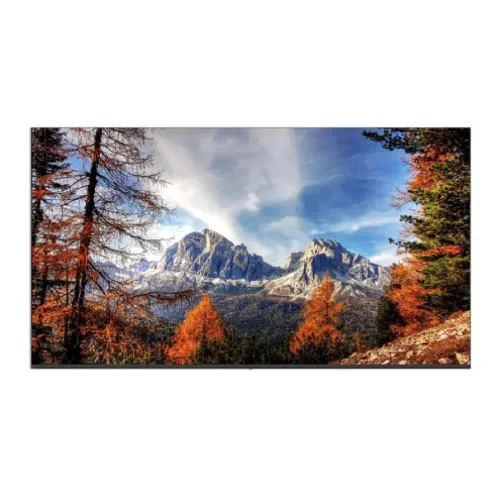
Uniview MW3265-F large-format monitor overview
The Uniview MW3265-F is a 65-inch UHD monitor intended for CCTV monitoring and other large-screen display tasks. Its official specification lists a 3840 × 2160 IPS panel, 60Hz refresh rate, 350 cd/m² brightness, 1200:1 contrast ratio and 24/7 operation. Two HDMI and two DisplayPort inputs accept 4K at up to 60Hz, and two 10W speakers plus an audio output are included. This is a professional monitoring display rather than a smart TV: no webOS, Wi-Fi or built-in streaming platform is listed. Actual system capability depends on the source device, signal path, mount, power and room conditions; confirm Bangladesh stock, installation and serial warranty with the seller.
Exact model naming and CCTV monitor purpose
The product page uses MW3265-F, while its model field also writes MW3265F without a hyphen. Confirm the label and exact suffix on the panel and carton; Uniview makes related 65-inch variants, including MW3265-F-DT, with different product identifiers. The catalog’s name includes UNV branding, but the primary model should remain clear for matching official manuals, mounting hardware and warranty records. Product dimensions and mounting accessories should be checked against this exact unit. Actual system capability depends on the source device, signal path, mount, power and room conditions; confirm Bangladesh stock, installation and serial warranty with the seller.
65-inch UHD 4K IPS display
The display uses a 65-inch IPS panel with native 3840 × 2160 resolution, 16:9 aspect ratio and 178-degree horizontal and vertical viewing angles. The large 4K image can show fine details from multiple surveillance streams, maps, dashboards or presentation material. Source content and recorder output must also support 4K to realize full detail. A 65-inch screen requires appropriate viewing distance; positioning too close may make the whole image difficult to scan comfortably. Actual system capability depends on the source device, signal path, mount, power and room conditions; confirm Bangladesh stock, installation and serial warranty with the seller.
Resolution, pixel pitch and viewing distance
Uniview lists a pixel pitch of 0.37 × 0.37mm and a display area of 1428.48 × 803.52mm. Resolution alone does not establish how many camera streams can be decoded; that depends on the NVR, video wall software, stream settings and network. Choose a viewing distance and layout that preserve legibility for the users in the room. For dense security grids, verify that each tile remains large enough to identify the details operators need. Actual system capability depends on the source device, signal path, mount, power and room conditions; confirm Bangladesh stock, installation and serial warranty with the seller.
350-nit brightness and 1200:1 contrast
Typical brightness is specified at 350 cd/m² and contrast at 1200:1, with support for 1.07 billion colors. These are manufacturer model specifications and are not a measurement of an individual unit. Ambient light, camera exposure and source dynamic range affect perceived image quality. The product page does not list HDR capability or a wide-gamut color space. Treat the monitor as a standard professional display rather than assuming HDR video mastering features. Actual system capability depends on the source device, signal path, mount, power and room conditions; confirm Bangladesh stock, installation and serial warranty with the seller.
24/7 operation rating and installation planning
The manufacturer lists 24/7 operation, which suits continuously staffed surveillance and control spaces when the display is installed and used according to its environmental ratings. Continuous operation still requires adequate ventilation, correct power and a stable mounting surface. A 24/7 rating does not eliminate maintenance or guarantee a particular service life in every room. Plan for cleaning, cable inspection, power protection and a process for handling outages in a monitoring installation. Actual system capability depends on the source device, signal path, mount, power and room conditions; confirm Bangladesh stock, installation and serial warranty with the seller.
Video inputs and 4K 60Hz compatibility
The monitor provides two HDMI and two DisplayPort inputs; Uniview specifies that HDMI and DP support a maximum input resolution of 3840 × 2160 at 60Hz. Confirm the output format of the camera recorder or workstation, cable length, connector quality and source timing. The monitor is an endpoint display and does not replace a recorder, decoder, video wall controller or network switch. Signal distribution across long distances may require compatible extenders and professional design. Actual system capability depends on the source device, signal path, mount, power and room conditions; confirm Bangladesh stock, installation and serial warranty with the seller.
Built-in speakers and audio output
Two built-in speakers are listed at 10W each, and one audio output is specified. The speakers can provide basic sound for alerts, presentations or video playback. In an operations room, audible alarm design and volume should be planned independently of monitor speakers, particularly when many displays are active. Confirm how source audio is carried through the selected input and whether the connected recorder or workstation sends an audio signal. Actual system capability depends on the source device, signal path, mount, power and room conditions; confirm Bangladesh stock, installation and serial warranty with the seller.
Bezel, dimensions and wall installation
The bezel is specified at 1.7mm on the top and sides and 17.5mm along the bottom. Physical dimensions are 1446.18 × 831.11 × 79.2mm, and net weight is 15.8kg. The listed VESA pattern is 300 × 200mm, with M6 wall-mount screw holes and 12mm thread depth. Choose a rated mount that supports the screen size and load, check wall construction, and maintain access to ports and ventilation. Use trained installers for overhead or wall-mounted placement. Actual system capability depends on the source device, signal path, mount, power and room conditions; confirm Bangladesh stock, installation and serial warranty with the seller.
Heat, ventilation and power planning
Typical power consumption is listed below 140W during operation and below 0.5W in standby, with 100–240V AC input at 50/60Hz. The monitor itself should be connected to a suitable protected circuit. In 24/7 deployments, account for heat, ventilation, power quality, cable strain and access to the power switch. Use a UPS or power conditioning only when appropriate to the site’s design. Consumption varies with settings and operating conditions, so plan capacity using the manufacturer’s maximum and installation requirements. Actual system capability depends on the source device, signal path, mount, power and room conditions; confirm Bangladesh stock, installation and serial warranty with the seller.
Surveillance-room deployment and layouts
For surveillance, this panel can present one or more signals delivered by compatible recorders, decoders or control software. The monitor’s four digital inputs provide connection choices, but the product specification does not establish multi-view or PBP features. If operators need one display to compose several camera sources, verify that the recorder or an external video controller performs that layout. Confirm camera stream resolution, frame rate and decoding capacity at the upstream system. Actual system capability depends on the source device, signal path, mount, power and room conditions; confirm Bangladesh stock, installation and serial warranty with the seller.
Control-room, office and presentation use
The 65-inch UHD screen can also support meeting-room presentations, dashboards and shared information displays when connected to a suitable PC. Its 4K input capability and built-in audio are useful for showing clear text and basic multimedia. No smart operating system, internal media player or wireless casting feature is listed. Use a computer or signage player for scheduling, browser-based dashboards and content playback, and check that it can output the required 4K 60Hz signal. Actual system capability depends on the source device, signal path, mount, power and room conditions; confirm Bangladesh stock, installation and serial warranty with the seller.
Image processing and signal limitations
The maximum refresh rate is 60Hz and the listed response time is up to 8ms. These values fit surveillance, presentations and general media, but are not high-refresh gaming specifications. The product page does not list VRR, adaptive sync, HDR or local dimming. The display will show the signal it receives within its supported modes; image enhancement and latency behavior should be checked against the actual source and operating system before a specialized use case. Actual system capability depends on the source device, signal path, mount, power and room conditions; confirm Bangladesh stock, installation and serial warranty with the seller.
Durability, lifetime and operating conditions
The product page lists an operating temperature range of 0°C to 40°C and operating humidity from 10% to 90% non-condensing. Storage temperature and humidity ranges are also specified separately. Do not operate the display outside its operating limits or expose it to condensation, direct water or excessive dust. Allow airflow around the cabinet, especially when installed in a recess or enclosure. Environmental compliance should be validated for the actual room and mounting arrangement. Actual system capability depends on the source device, signal path, mount, power and room conditions; confirm Bangladesh stock, installation and serial warranty with the seller.
Included accessories and package verification
The manufacturer lists one HDMI cable, one power cable, one remote control, one quick guide and one wall mount accessory as standard items. Supplied contents can vary by region or distributor. Check the carton and invoice for the mount and verify that its hardware matches the intended installation. The product page’s listed wall mount should not be assumed to fit every wall type or structural condition. Confirm the power cord, plug and cable length for the installation site. Actual system capability depends on the source device, signal path, mount, power and room conditions; confirm Bangladesh stock, installation and serial warranty with the seller.
What this monitor is not
This is a monitor, not a television or smart signage player. Uniview does not list webOS, Android, Wi-Fi, Bluetooth, a tuner, USB playback, HDR certification, 4K upscaling or integrated camera decoding on this model page. Built-in speakers do not make it a smart TV. If an application requires streaming apps, wireless casting, multi-source composition or CCTV decoding, use an appropriate external system and verify compatibility before selecting the display. Actual system capability depends on the source device, signal path, mount, power and room conditions; confirm Bangladesh stock, installation and serial warranty with the seller.
Bangladesh offer, warranty and service checks
Before purchase in Bangladesh, confirm exact model MW3265-F, stock condition, local offer and installation scope. Verify that the intended mount, wall structure, power circuit and source equipment are suitable for a 65-inch 15.8kg display. Ask for the Uniview distributor or service provider, warranty duration and serial-specific eligibility in writing. Manufacturer global specifications do not establish local inventory, price, warranty or installation service. Actual system capability depends on the source device, signal path, mount, power and room conditions; confirm Bangladesh stock, installation and serial warranty with the seller.
Setup and source troubleshooting
For first use, secure the display on its stand or wall mount, connect a compatible source through HDMI or DisplayPort, and select the corresponding input in the OSD. Configure the source at 3840 × 2160 and up to 60Hz. If there is no image, check source output, cable, input selection and timing before replacing the display. Verify ventilation and secure all cables against strain. For surveillance, check the NVR decoder layout and stream profile separately from the monitor. Actual system capability depends on the source device, signal path, mount, power and room conditions; confirm Bangladesh stock, installation and serial warranty with the seller.
Cleaning and operational care
Clean the screen with a soft, clean cloth and follow Uniview’s care instructions; avoid spraying liquid directly on the display or using abrasive chemicals. Inspect wall mounting and cables periodically, especially in public or continuously staffed areas. Keep ventilation openings free of dust and do not block the cabinet. Document serial number, installation date, firmware or service records where applicable, and the local support contact for a deployed control-room unit. Actual system capability depends on the source device, signal path, mount, power and room conditions; confirm Bangladesh stock, installation and serial warranty with the seller.
Frequently asked questions
What is the MW3265-F resolution? 3840 × 2160 UHD 4K. What is its panel type? IPS with 178-degree viewing angles. Is it rated for continuous use? Uniview lists 24/7 operation. What is the brightness? 350 cd/m² typical. Which video inputs are included? Two HDMI and two DisplayPort, specified up to 4K 60Hz. Does it have speakers? Yes, two 10W speakers. What is the VESA pattern? 300 × 200mm with M6 screw holes. Is it a smart TV? No smart OS or streaming feature is listed. What is its weight? 15.8kg net. What warranty applies in Bangladesh? Confirm local distributor and serial eligibility with the seller. Actual system capability depends on the source device, signal path, mount, power and room conditions; confirm Bangladesh stock, installation and serial warranty with the seller.