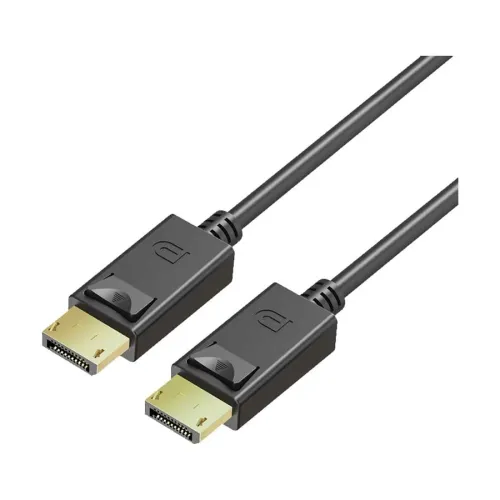
Yuanxin YDP-003 3-metre DisplayPort cable
The Yuanxin YDP-003 in this listing is a black, three-metre cable with full-size DisplayPort male connectors at both ends. It is intended to connect a compatible DisplayPort video source to a display with a matching input. The longer cable gives flexibility when a desktop computer and monitor are separated across a desk or equipment arrangement, provided the complete route fits within three metres.
Choose the correct connector version
Check both ends before ordering. This listing is for full-size DisplayPort to full-size DisplayPort, not Mini DisplayPort, HDMI or USB-C. Retail searches also show the YDP-003 code on a shorter Mini DisplayPort product, so the model code alone is not enough to identify the required connector and length. Match the three-metre length and the male-to-male full-size connector description on the supplied package.
Listed resolution and refresh rate
Tech Land explicitly lists support for up to 3840 × 2160 at 60Hz. Ryans lists 3840 × 2160 resolution and 60Hz in its additional specifications, while Star Tech lists 4K resolution without a refresh-rate figure in the checked description. Treat 4K at 60Hz as a retailer-listed capability rather than a tested guarantee for every setup. The graphics output, monitor input, display settings and any intervening adapters must support the selected mode.
No verified DisplayPort revision, certified link-rate tier, HDR format, adaptive-sync support, colour-depth limit or multi-display capability was established from the checked product sources. Do not infer 4K at 120Hz or 144Hz, 8K support or a particular DisplayPort standard from the connector shape or the 4K wording alone. If a specific gaming or professional display mode is essential, obtain confirmation for the exact cable and equipment combination.
Bandwidth claim requiring confirmation
Star Tech includes an “up to 480Mbps” transfer-rate claim alongside its 4K video description. The checked Ryans and Tech Land listings do not corroborate that bandwidth figure or provide an exact certified link rate. It is therefore not presented here as a verified cable bandwidth specification. Confirm the relevant video mode with the seller rather than using this unverified number to compare DisplayPort cable performance.
Installation and everyday use
Connect the cable to a DisplayPort output on the computer or graphics card and a matching input on the monitor or other display. Select the correct display input and configure the supported resolution and refresh rate in the computer settings. Tech Land describes the cable as plug-and-play; the computer may still need its normal graphics driver and suitable display configuration. Retailer lists mention Windows, but the physical ports and supported video mode are the key compatibility checks for the intended setup.
Measure the route with room for connector access and gentle bends. Avoid pulling on the cable when disconnecting it; check the connector release mechanism on the supplied unit. The catalog photograph shows black connector housings with release tabs. Neither connector plating material, internal conductor composition nor a certified bend-life figure has been established from the checked sources.
Warranty, package and purchase checks
Star Tech, Ryans and Tech Land list a one-year warranty. Confirm the supplying merchant’s coverage, exclusions, invoice requirements and return process. Ryans identifies YDP-003 as the part number, lists China for origin and assembly, and names one Yuanxin cable as the package content. Extra converters or adapters should not be assumed included.
Inspect the received connectors and cable jacket, then test the exact display mode you need during the seller’s return period. Product weight, packaged dimensions, barcode and certification details remain unverified and should be checked from the supplied unit if required. Market prices shown on BiponiBD are dated references; stock and payment terms must be checked with the chosen merchant before purchase.